DLIMS Punjab Online Driving License Verification In 2026
Online driving license verification has now become easy, quick, and more accessible for the people of Punjab with DLIMS Punjab. Driving license is required to operate a vehicle on roads, and law enforcement authorities are now taking serious actions against people who don’t hold one. To provide ease and accessibility to users, the DLIMS is the system that is available and being used for the issuance of driving e-licenses. The system also allows for online driving license verification and your e-license application tracking. As the traffic police emphasize the driving license, it is also essential to register your vehicle, which you are driving MTMIS punjab allows the online registration and verification of vehicles.
What is DLIMS Punjab?
Driving License Issuance Management System is the online platform introduced by the Excise Taxation and Narcotics Department to digitalize the license-related services in Punjab, Pakistan. The system allows the people of Punjab to renew, issue, and verify their driving licenses. Online Driving license verification and check has been introduced to replace the traditional method were used to manage the license-related services. For security and verification purposes, the system is integrated with NADRA and allows biometric authentication. The system has eliminated the potential fraud of possessing a fake driving license and using an expired license.
Why Use DLIMS for Online Driving License Verification
DLIMS online driving license verification and check comes with various benefits. User can issue a driving license online without the need to visit the driving license offices of the traffic police. This online system is more efficient and faster than physically visiting the government offices to get your driving license. It saves time, money, and provides the user with their driving license in just a few steps. The system is integrated with a secure payment gateway that allows you to securely pay the fees for driving license issuance. The key features include:
Services Offered by DLIMS Punjab
DLIMS Punjab offers various services to users, which include the online license Issuance, Online Driving License verification, Application Tracking, and license fee structure information.
Issuance of Driving License: The system allows users to issue the driving license online. The system is set up to issue the three types of license, which include learner license, Regular License, and International license. The system also provides a guide to users to issue these, but for details and an easy process, check the steps below for each category of license



How to get the Learner License
Create Account and Login
To issue the driving license from the website, you are first required to sign up for the website of DLIMS Punjab. Enter your email address and create a password. You will then receive the authentication code at your email address once the account has been verified. Log in to the system with the registered email and password you have just set up.
Fill Application Form
Fill out the application with the required details. Make sure to enter the correct details and double check, as you will not be able to recorrect the input details once you have taken the next step.
Generate PSID
After filling the application form and submitting it, the system will generate a PSID(Public Service Identifier), which will be unique to your application. This PSID is for reference and processing.
Payment confirmation
Pay the learner license fee with your Jazzcash, Easypaisa, or bank account. Once the fees have been paid, you will receive the payment confirmation.
Print Learner.
As the fees are paid and the confirmation received, the system will generate the learner’s license, which you can print and keep with you. Once you have downloaded the license, you are ready to go on the road.
How to Get Regular License
- Create Account and Login: create your account on login to the system.
- Fill Application Form: Fill the required fields of the application form and submit the request.
- Generate PSID: Once you have submitted the request, the system will generate a unique PSID (Public Service Identifier)
- Payment confirmation: The system will require you to pay the application fee. Once this has been done, you will receive the payment confirmation.
- Approval: Once the fees for the license have been paid, you have successfully submitted your application. Your application will now go to the authorities for administrative review. Once the application has been reviewed, you will be notified whether your application has been approved or not. In case the application is not approved, you may be required to correct the provided details
- Processing and Dispatch: Once the application has been approved your driving license application will be processed and dispatched to your address, which you have provided in the application form. The system also allows you to track your application, which we will discuss below in this post on how to track the license application.
International License
- Create your account and log in to the system.
- Fill the online Application form for an International License
- Generate the PSID for reference and processing.
- Pay the application fee and wait for the payment confirmation.
- The application will go for the administrative review for approval.
- Once the application is approved, the driving license will be dispatched to you.
License Application Tracking
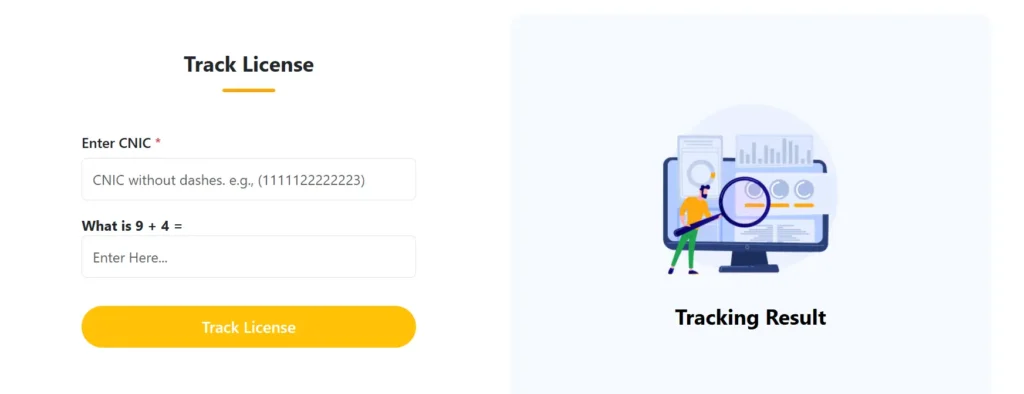
- To track your license application, follow the steps below.
- Go to the official website of DLIMS Punjab.
- Once you have got to the website, navigate to the section Track License option that will be next to the option e-license.
- A form will appear on your screen.
- Firstly, Enter you CNIC in the first field and then solve the easy quiz for verification purposes.
- Once you have entered the required details, click the button Track License.
- The system will show you the current status of your driving license.
Online Driving License Verification
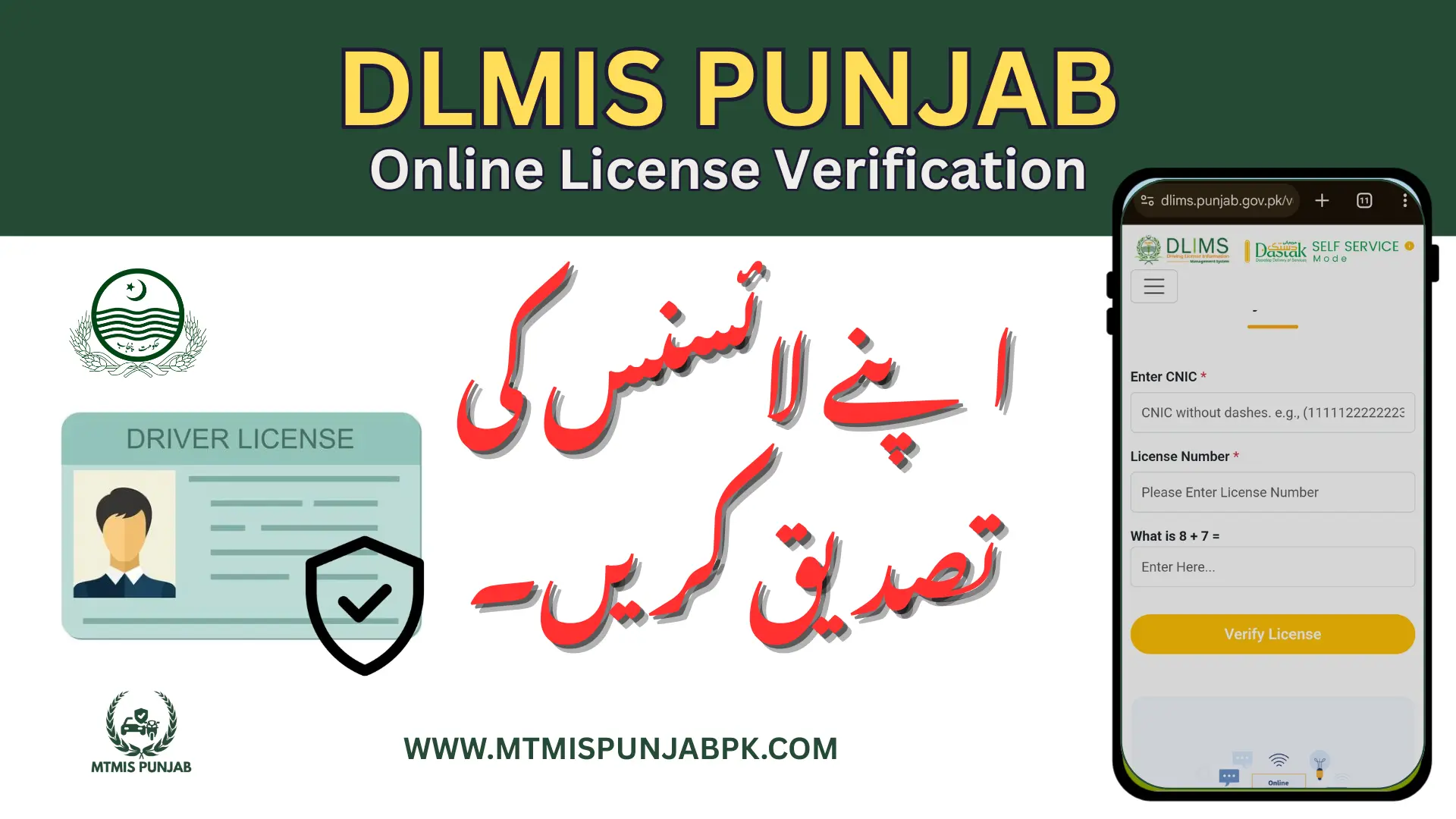
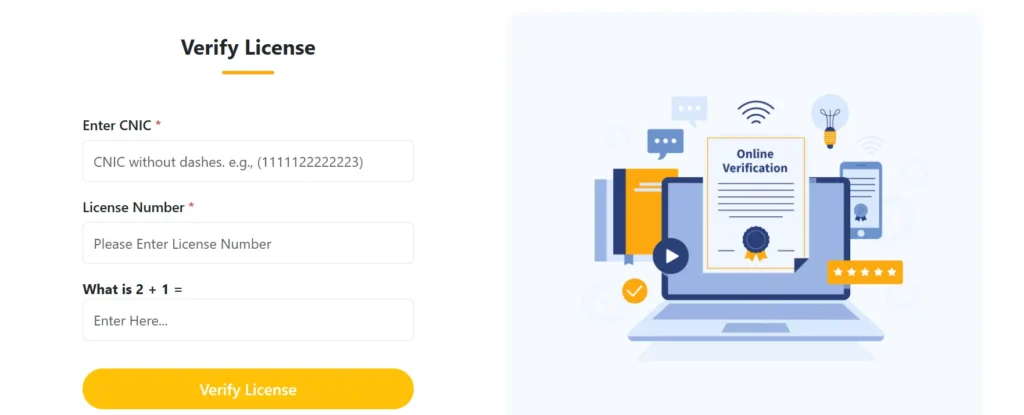
For Online Driving license verification, follow the steps below.
- Go to the official website of DLIMS Punjab.
- Once you have got to the website, navigate to the section Verify License option that will be next to the option Track Application.
- A form will appear on your screen.
- Enter your CNIC in the first field.
- Enter the License Number and then solve the easy quiz for verification purposes.
- Once you have entered the required details, click the button Verify License.
- The system will process the application and validate the authenticity of the driving license.
Check fee structure
| License Type | Validity | Fee (PKR) |
|---|---|---|
| Learner Permit | 6 Months | 60 – 100 |
| Motorcycle | 5 Years | 500 – 550 |
| Motor Car | 5 Years | 750 – 950 |
| Motorcycle + Car (Combined) | 5 Years | 950 – 1,000 |
| LTV (Light Transport Vehicle) | 5 Years | 1,000 – 1,500 |
| HTV (Heavy Transport Vehicle) | 5 Years | 1,500 – 2,000 |
| Duplicate License | Remaining Validity | 200 – 300 |
| Renewal (Motorcycle) | 5 Years | 500 – 600 |
| Renewal (Motor Car) | 5 Years | 750 – 950 |
| Renewal (LTV/HTV) | 5 Years | 1,000 – 1,500 |
| International Driving Permit (IDP) | 1 Year | 500 – 1,000 |
Benefit of using Online Driving License Verification
- Convenience and time saving: The online system has eliminated the need to visit the licensing office. You can now verify the license at your home with just a few simple steps.
- Instant Access to Information: The system provides instant and real-time license details, including license type, expiry date, and issuance status — all within seconds.
- Computerized verification: In manual processing, there can be a factor of fraud or fake license that humans cannot identify, but computerized testing provides an accurate verification result and information stored in system databases. The system provides accurate and real-time data for the authenticity of the driving license.
- Helpful for Employers & Law Enforcement: Law enforcement authorities can quickly verify the license. It helps the traffic policy so that they can verify the license of the person operating the vehicle to ensure the driver follows the rules and is safe to drive.
- Free of Cost: The DLIMS portal allows users to verify their driving license without any charges, saving both time and money.
- Supports Paperless Governance: Online verification contributes to Punjab’s digitalization efforts, promoting paperless systems and efficient public service delivery.
24/7 Availability: The service is available 24/7 — no need to wait for office hours or face long queues.