

MTMIS Faisalabad Online Vehicle Verification & Registration
Enter vehicle details and check the vehicle’s registration in MTMIS Faisalabad. You are standing in a parking area near D Ground. A seller shows you a clean 2019 Corolla. The price is good. The paint shines. The papers look original. But deep down, a voice whispers: “What if something is wrong?”
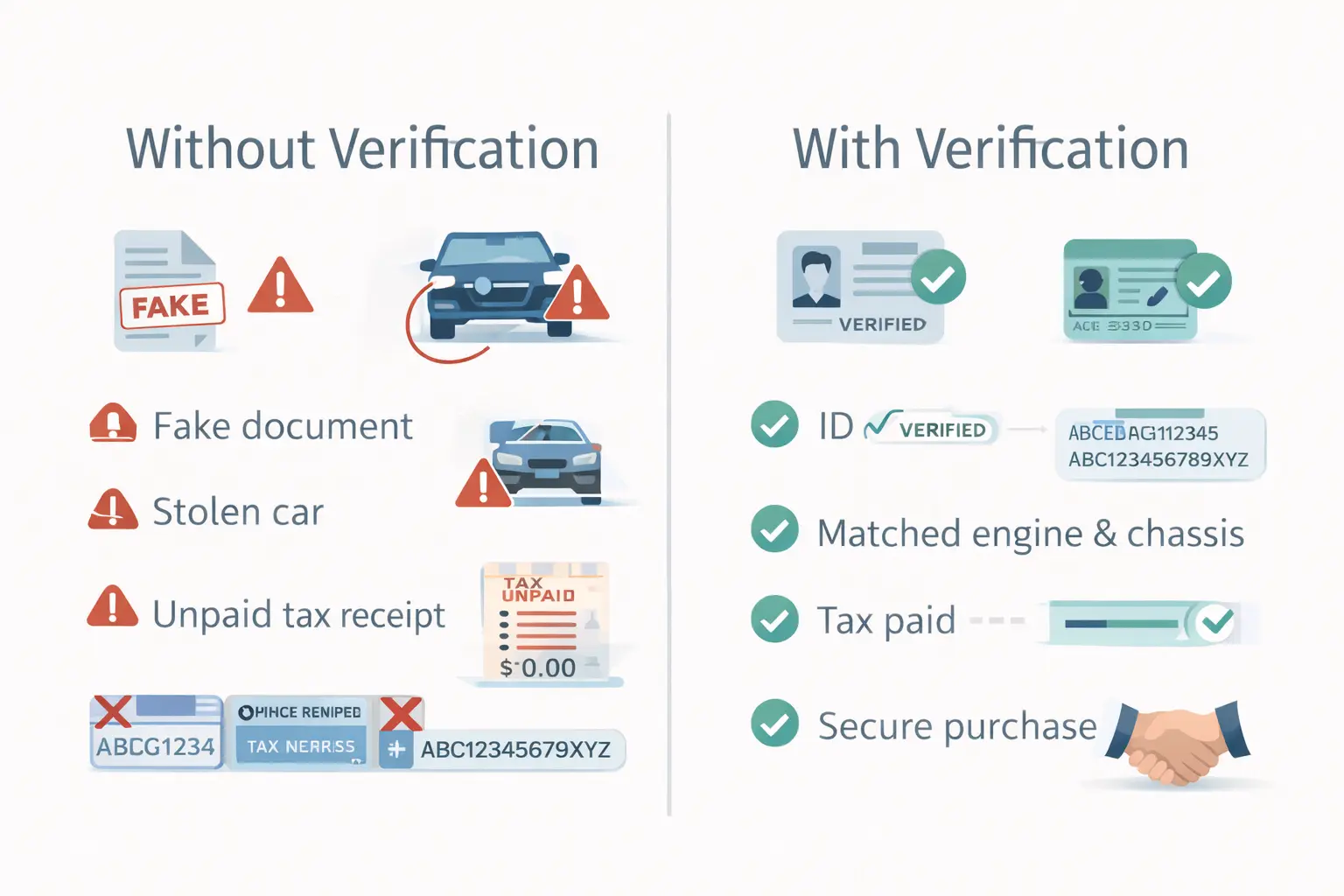
That voice exists for a reason. Every month in Faisalabad, people discover they bought vehicles with fake papers, unpaid taxes, or wrong engine numbers. The seller’s phone is switched off. The vehicle causes nothing but problems.
This guide changes that for you. No recycled information. No copy-paste from other cities. Just pure, practical, Faisalabad-specific steps to verify any vehicle online using the official MTMIS Faisalabad system.
Why Faisalabad Buyers Specifically Need Online Verification
Faisalabad is not Lahore or Multan. The vehicle market here works differently. Understanding this helps you stay safe.
Family transfers are common here. Many vehicles in Faisalabad change hands within families. Proper transfer never happens. The original owner’s name stays in government records forever. When you buy such a vehicle, you never legally own it.
Bhowana Bazaar has unique risks. This market moves huge volumes of motorcycles daily. Quick cash deals mean paperwork gets ignored. Sellers know most buyers never check online records. They exploit this trust.
Surrounding areas bring vehicles into the city. Cars from Jaranwala, Samundri, and Tandlianwala often get sold in Faisalabad. Some have a clear history. Others come with pending issues from their hometowns.
Local checkpoints are active. On Jaranwala Road and Sargodha Road, police check vehicles regularly. If the tax is unpaid or the registration is fake, you face fines and vehicle impoundment.
This is why vehicle verification Faisalabad matters more here than anywhere else. The system shows you what papers hide.
The Real MTMIS Faisalabad Portal – How to Access It Safely
Let us be clear about one thing. There are fake websites that look exactly like the real one. They ask for money. They steal your information. Do not fall for them.
The only real website ends with https://mtmis.excise.punjab.gov.pk/. Always check this before entering any vehicle number. Bookmark it if you verify vehicles often.
When you open the site, look for the vehicle verification section. It is usually on the homepage. Click it. You are now at the MTMIS Faisalabad search page.
Registration Numbers in Faisalabad – Know What You Are Looking At
MTMIS Faisalabad has its own registration patterns. Knowing these helps you understand the vehicle’s origin before you even search.
FS series – This is the main car registration for Faisalabad city. If you see FS-1234, that vehicle was first registered in Faisalabad proper.
LES series – This is for motorcycles registered in Faisalabad. LES stands for Lahore Excise? No. Actually it is a standard Punjab pattern, but LES numbers belong to Faisalabad bikes.
FSE series – Newer motorcycles also get FSE numbers—still Faisalabad.
Cantonment numbers – Vehicles registered in Faisalabad Cantt have different patterns. But they still appear in the main MTMIS search.
Numbers from nearby areas – Vehicles from Jaranwala, Samundri, and Chak Jhumra all fall under Faisalabad district. They work in the same search.
Step-by-Step for Vehicle Verification Faisalabad
Follow these exact steps. Do not skip any. Do not rush.
Step 1: Open the official portal
Type the Punjab Excise website address carefully. Look for the padlock symbol in your browser. This means the site is secure.
Step 2: Enter the full registration number
Type the number exactly as on the plate. For FS-1234, type FS1234 or FS-1234 (the system usually accepts both). For LES-5678, type LES5678.
One common mistake: People confuse zero with alphabet O. If the plate says FS 1O34, the zero is probably a zero. Try both if unsure.
Step 3: Type the captcha
Look at the image. Type the characters exactly. If captcha is hard to read, click refresh for a new one.
Step 4: Click search and wait
Results appear in 2-3 seconds. Do not click multiple times. Let the system work.
Step 5: Take a screenshot
Before closing, screenshot the result. This becomes your proof. Compare it with seller documents later.
Reading Your Faisalabad Verification Report Correctly
The report shows several fields. Here is what each one means specifically for Faisalabad buyers.
Registration number – Confirms you searched the right vehicle. Check it matches the plate.
Owner name – This is the person in government records. If it is not the seller, you need explanation. In Faisalabad, many owners sell without transferring. This creates legal problems for you later.
Engine number – The unique code stamped on the engine. Write it down. You will check this physically.
Chassis number – The vehicle’s body identification. Also needs physical matching.
Registration date – Shows when vehicle first entered Faisalabad roads. Older vehicles from 90s and early 2000s may have incomplete digital records. Still check what exists.
Tax status – Critical for Faisalabad. Unpaid tax means you cannot pass checkpoints on Sargodha Road or Jaranwala Road. You also cannot transfer vehicle to your name without clearing dues.
Provincial status – Must show Punjab. Some vehicles from Karachi or other provinces get sold here. Transferring them to Punjab takes time and money.
Physical Verification – Matching Online Data with Real Vehicle
Online check done. Now comes the hands-on part. You must see the vehicle yourself.
Open the hood for cars
Look for engine number stamped on metal. Usually near engine block. Take photo. Compare with online report. If numbers differ by even one digit, walk away.
Check under seat for motorcycles
Lift the seat. Look for chassis number on frame. Also check engine base for engine number. Match both.
Look for tampering signs
Fresh paint on numbers. Scratches around stamped area. Numbers that look too shallow or too deep. These are red flags.
Verify owner identity
Ask the seller for the original CNIC. Compare the name with the online owner’s name. Compare the face with the CNIC photo. If the seller is not the owner, ask for written authority and the owner’s CNIC copy.
What Different Search Results Mean for You
Result shows complete match
Good. Proceed to physical check and price negotiation.
Result shows different owner
Ask seller why. Common reasons: Not transferred after purchase, family vehicle, bought from dealer who never transferred. Each needs different proof. Do not accept verbal explanations only.
Result shows unpaid tax
Ask seller to clear it before payment. Or calculate dues and deduct from price. Get official receipt if you pay.
Result shows “Applied”
Vehicle is new. Registration still processing. Ask for booking papers, delivery receipt, and temporary registration. Verify these are genuine.
Result shows “No Record Found”
Possible issues: Wrong number entered, very old vehicle, fake number plate, vehicle from other province. Try again carefully. If still no record, be very suspicious.
Where to Go for Help in Faisalabad
Online verification solves most problems. But some situations need office visit.
Excise and Taxation Office Faisalabad
Located on Jaranwala Road, near the clock tower. This is the main office for all vehicle matters.
When to visit:
- Online record missing for old vehicle
- Need official Form-V verification document
- Disputes about tax payment
- Transferring ownership after purchase
What to bring:
- Your original CNIC
- All vehicle documents seller gave
- Screenshot of online verification
- Cash for any payments (though online options exist)
Go early morning, before 10 AM. Afternoon crowds are heavy.
Common Faisalabad Scenarios and How to Handle Them
Scenario 1: Seller from Bhowana Bazaar says “transfer later”
Many Bhowana sellers promise to transfer later. They rarely do. Insist on immediate transfer or no deal. Use online verification to confirm current owner is the seller.
Scenario 2: Uncle’s car from Jaranwala with no documents
Vehicles from villages sometimes lack complete papers. Online verification becomes your only proof. If record shows clear, you can proceed carefully. But demand whatever documents exist.
Scenario 3: Good price but tax unpaid for 3 years
Calculate total dues. Divide by 12 months. Use this to negotiate price down. But remember, unpaid tax becomes your headache once you buy. Factor that into decision.
Scenario 4: Seller says, “Government employee, cannot sell in own name.“
Some government employees register vehicles in family members’ names. Ask for that family member’s CNIC and presence during the deal. Verify online name matches that person.
Quick Reference – Faisalabad Registration Series
| Series | Vehicle Type | Area |
|---|---|---|
| FS | Cars | Faisalabad City |
| LES | Motorcycles | Faisalabad District |
| FSE | Motorcycles | Faisalabad (newer) |
| JWA | Various | Jaranwala |
| SMD | Various | Samundri |
| FSC | Various | Faisalabad Cantt |
Use this table to identify vehicle origin before searching.
Questions Faisalabad Buyers Ask Most
Final Advice for Faisalabad Buyers
You work hard for your money. Faisalabad is not a place where money grows on trees. Every rupee counts. Do not let smooth talkers in Bhowana Bazaar or Saddar Bypass take advantage of you.
The MTMIS Faisalabad system is your friend. It is free. It is fast. It tells the truth that papers often hide. Use it before every vehicle purchase. One search takes two minutes. It saves you from years of regret.
Make this a habit. Before you discuss price, before you shake hands, before you open your wallet – verify online. Every single time.
Always verify before you buy.

